Thursday, April 2, 2026

Unlock AG Pro Today

Why Now?

AG Pro gives you sharp insights, compelling stories, and weekly mind fuel without the fluff. Think of it as your brain’s secret weapon – and our way to keep doing what we do best: cutting the BS and giving you INDEPENDENT real talk that moves the needle.

Limited time offer: $29/yr (regularly $149)
✔ Full access to all stories and 20 years of analysis
✔ Long-form exclusives and sharp strategy guides
✔ Weekly curated breakdowns sent to your inbox

We accept all major credit cards.

Pro

/ once per week

Get everything, no strings.

AG-curious? Get the full-access version, just on a week-to-week basis.
• Unlimited access, no lockouts
• Full Premium archive access
• Inbox delivery + curated digests
• Stop anytime, no hoops

$
7
$
0

Get your fill of no-BS brilliance.

Pro

/ once per year

All in, all year. Zero lockouts.

The best deal - full access, your way. No timeouts, no limits, no regrets.
A year for less than a month of Hulu+
• Unlimited access to every story
• Re-read anything, anytime
• Inbox drop + curated roundups

$
29
$
0

*Most Popular

Full access, no pressure. Just power.

Free
/ limited

Useful, just not unlimited.

You’ll still get the goods - just not the goodest, freshest goods. You’ll get:
• Weekly email recaps + curation
• 24-hour access to all new content
• No archive. No re-reads

Free

Upgrade later -
we’ll be here!

Unlock AG Pro Today

Why Now?

AG Pro gives you sharp insights, compelling stories, and weekly mind fuel without the fluff. Think of it as your brain’s secret weapon – and our way to keep doing what we do best: cutting the BS and giving you INDEPENDENT real talk that moves the needle.

Limited time offer: $29/yr (regularly $149)
✔ Full access to all stories and 20 years of analysis
✔ Long-form exclusives and sharp strategy guides
✔ Weekly curated breakdowns sent to your inbox

We accept all major credit cards.

Pro

/ once per week

Get everything, no strings.

AG-curious? Get the full-access version, just on a week-to-week basis.
• Unlimited access, no lockouts
• Full Premium archive access
• Inbox delivery + curated digests
• Stop anytime, no hoops

$
7
$
0

Get your fill of no-BS brilliance.

Pro

/ once per year

All in, all year. Zero lockouts.

The best deal - full access, your way. No timeouts, no limits, no regrets.
A year for less than a month of Hulu+
• Unlimited access to every story
• Re-read anything, anytime
• Inbox drop + curated roundups

$
29
$
0

*Most Popular

Full access, no pressure. Just power.

Free
/ limited

Useful, just not unlimited.

You’ll still get the goods - just not the goodest, freshest goods. You’ll get:
• Weekly email recaps + curation
• 24-hour access to all new content
• No archive. No re-reads

Free

Upgrade later -
we’ll be here!

Why SMBs should back up data, especially from Office 365

Storing in the cloud

The cloud is perhaps one of the fastest growing areas in the IT sector. Many users love it and cannot get enough of it, while others avoid it because it seems too complex, or not worth the time. Once you try it for yourself, you’ll see it can be a super helpful tool for storing and retrieving data quickly.

Cloud computing, or cloud storage, simply gives you access to apps and data on the web, instead of a single computer or network. This allows you to access your data quickly, from anywhere.

Additional back up

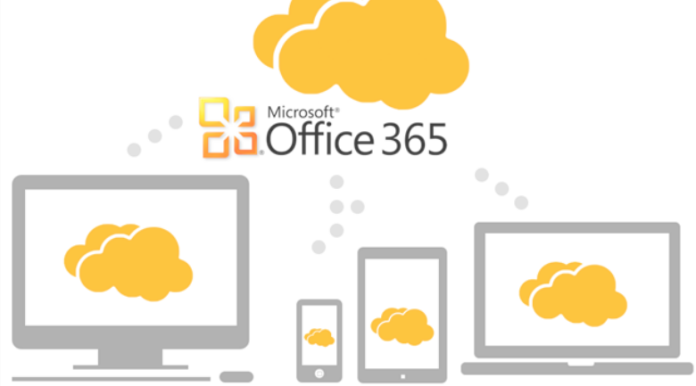
With the introduction of Microsoft Office 365, small to medium sized businesses (SMBs) need to know about cloud computing, more so now than ever before. Analysts predict that by the end of this year, 30% of SMBs will be using Office 365. If you’re not familiar with Office 365 yet, it gives you the convenience of Exchange along with personal productivity and collaboration applications all in a cloud environment.

This means that all of your data from these programs will be stored in the cloud, instead of on your hard drive. Having your information stored in the cloud in a fantastic space and time saver, but you may want to consider backing up your data to additional places to ensure you do not lose those critical emails and contact information stored in the cloud.

The 3-2-1 rule

SMBs need to backup their data outside of Office 365 for several reasons. First, backing up is often less expensive than paying for archiving. Microsoft offers an archiving service, but there are many other options that are most cost effective, in my opinion.

Industry experts suggest practicing the “3-2-1” rule. This rule suggests you save three copies of your data, in at least two different places, with at least one copy of the data stored offsite. This ensures that you always have a viable copy of your data available. Finally, if the only copy of your data exists online, consider the increase of hackers.

If a hacker reaches your Exchange online account, you may not be able to retrieve all of your messages, and your confidential data may be compromised. By backing your data up, accidental deletions are not longer a worry.

Storing options

While there are multiple options for backing up your data, they range in price and function. For most SMBs, one of the following options should suit your needs: back it up yourself to an external hard drive or USB, try a third-party journaling organization, or try out a third-party archiving service. The steps for backing up your data yourself are not too difficult. It’s definitely worth a try if you are budget-conscious.

If none of these options sound good to you, you can always opt for Microsoft’s archival option.

#BackingUpData

Jennifer Walpole, Sr. Staff Writer
Jennifer Walpole is a Senior Staff Writer at The American Genius and holds a Master's degree in English from the University of Oklahoma. She is a science fiction fanatic and enjoys writing way more than she should. She dreams of being a screenwriter and seeing her work on the big screen in Hollywood one day.

1 COMMENT

Subscribe
Notify of
wpDiscuz
1
0
What insights can you add? →x
()
x
Exit mobile version
