Saturday, December 20, 2025

Unlock AG Pro Today

Why Now?

AG Pro gives you sharp insights, compelling stories, and weekly mind fuel without the fluff. Think of it as your brain’s secret weapon – and our way to keep doing what we do best: cutting the BS and giving you INDEPENDENT real talk that moves the needle.

Limited time offer: $29/yr (regularly $149)
✔ Full access to all stories and 20 years of analysis
✔ Long-form exclusives and sharp strategy guides
✔ Weekly curated breakdowns sent to your inbox

We accept all major credit cards.

Pro

/ once per week

Get everything, no strings.

AG-curious? Get the full-access version, just on a week-to-week basis.
• Unlimited access, no lockouts
• Full Premium archive access
• Inbox delivery + curated digests
• Stop anytime, no hoops

$
7
$
0

Get your fill of no-BS brilliance.

Pro

/ once per year

All in, all year. Zero lockouts.

The best deal - full access, your way. No timeouts, no limits, no regrets.
A year for less than a month of Hulu+
• Unlimited access to every story
• Re-read anything, anytime
• Inbox drop + curated roundups

$
29
$
0

*Most Popular

Full access, no pressure. Just power.

Free
/ limited

Useful, just not unlimited.

You’ll still get the goods - just not the goodest, freshest goods. You’ll get:
• Weekly email recaps + curation
• 24-hour access to all new content
• No archive. No re-reads

Free

Upgrade later -
we’ll be here!

Unlock AG Pro Today

Why Now?

AG Pro gives you sharp insights, compelling stories, and weekly mind fuel without the fluff. Think of it as your brain’s secret weapon – and our way to keep doing what we do best: cutting the BS and giving you INDEPENDENT real talk that moves the needle.

Limited time offer: $29/yr (regularly $149)
✔ Full access to all stories and 20 years of analysis
✔ Long-form exclusives and sharp strategy guides
✔ Weekly curated breakdowns sent to your inbox

We accept all major credit cards.

Pro

/ once per week

Get everything, no strings.

AG-curious? Get the full-access version, just on a week-to-week basis.
• Unlimited access, no lockouts
• Full Premium archive access
• Inbox delivery + curated digests
• Stop anytime, no hoops

$
7
$
0

Get your fill of no-BS brilliance.

Pro

/ once per year

All in, all year. Zero lockouts.

The best deal - full access, your way. No timeouts, no limits, no regrets.
A year for less than a month of Hulu+
• Unlimited access to every story
• Re-read anything, anytime
• Inbox drop + curated roundups

$
29
$
0

*Most Popular

Full access, no pressure. Just power.

Free
/ limited

Useful, just not unlimited.

You’ll still get the goods - just not the goodest, freshest goods. You’ll get:
• Weekly email recaps + curation
• 24-hour access to all new content
• No archive. No re-reads

Free

Upgrade later -
we’ll be here!

Hey Tabby McTabberson, this extension makes Chrome 100000x better

An open tab nightmare

We’ve all been there – your workflow is expanding in a never ending stream of open tabs in your Chrome browser. After around the 12th or 13th tab (fewer on less powerful machines), you start to see a noticeable change in system performance. After you open few more tabs, your computer suddenly acts like you poured quicksand into its innards. The rage inducing slowdown of processing power that ensues is enough to drive anyone to insanity.

The Great Suspender

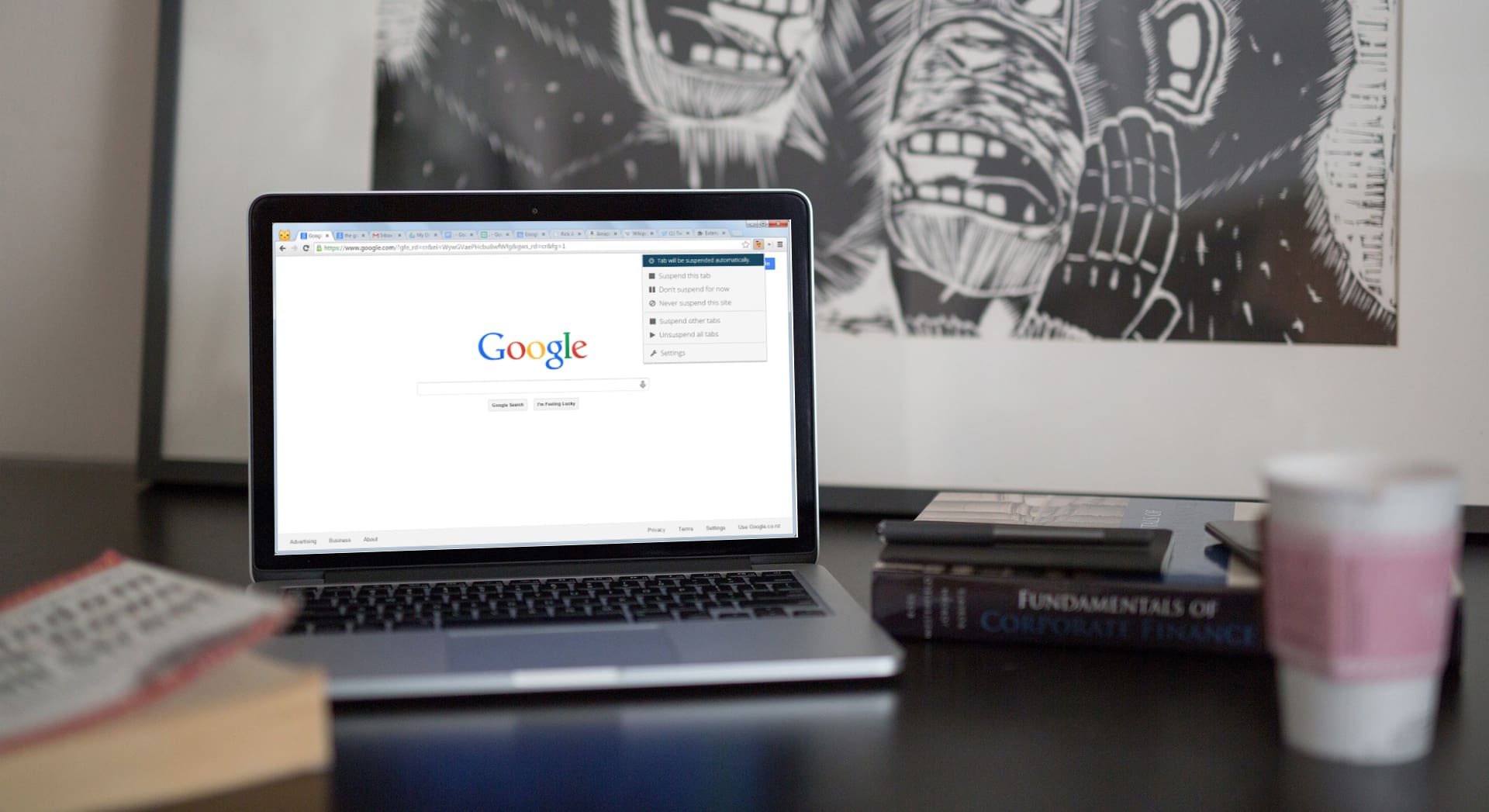
This is where The Great Suspender comes to the rescue. A Chrome extension that solves all of your performance-sucking-tab-problems by suspending any tabs you are not actively engaged with.

It allows you to run tabs upon tabs (like we all love to do in Chrome) without bogging down your system performance.

How does it work? I’m so glad you asked.

First, download the simple extension from the chrome web store. Then use the settings to manage how long a tab should be inactive before it is “put to sleep” — As long as 3 days or as short as 20 seconds. Any tabs that hit your time restriction will turn blue and indicate “Tab Suspended. Click To Reload.”

A quick click refreshes the page and you are right back to your workflow.

To help you maintain organization, the favicon and tab title text are retained.

But it won’t lose your work

Adding any website to a “whitelist” will protect that tab from suspension regardless of time inactive (I use this for my work email, my KPI dashboard, and Trello).

You can also elect to automatically whitelist pinned tabs or tabs that contain unsaved form inputs – saving you potential lost work.

And that’s it! You can customize more if you want by setting up manual or automatic settings based off of conditions like being connected to the Internet or running off battery power but that’s up to you.  Just get to work and let The Great Suspender keep you running lean and mean.

#TheGreatSuspender

Dave Novotnyhttps://theamericangenius.com/author/DaveNovotny
Dave Novotny loves writing about cutting edge technology and business innovation. A creative by nature and a number cruncher by blood, sweat, and tears, Dave loves telling the story that the numbers and analytics write in a way that connects to people. When he's not crafting copy, he's out hiking with his wife and two rescue dogs, Jackie and Loki.

3 COMMENTS

Subscribe
Notify of
wpDiscuz
3
0
What insights can you add? →x
()
x
Exit mobile version
