Sunday, December 21, 2025

Unlock AG Pro Today

Why Now?

AG Pro gives you sharp insights, compelling stories, and weekly mind fuel without the fluff. Think of it as your brain’s secret weapon – and our way to keep doing what we do best: cutting the BS and giving you INDEPENDENT real talk that moves the needle.

Limited time offer: $29/yr (regularly $149)
✔ Full access to all stories and 20 years of analysis
✔ Long-form exclusives and sharp strategy guides
✔ Weekly curated breakdowns sent to your inbox

We accept all major credit cards.

Pro

/ once per week

Get everything, no strings.

AG-curious? Get the full-access version, just on a week-to-week basis.
• Unlimited access, no lockouts
• Full Premium archive access
• Inbox delivery + curated digests
• Stop anytime, no hoops

$
7
$
0

Get your fill of no-BS brilliance.

Pro

/ once per year

All in, all year. Zero lockouts.

The best deal - full access, your way. No timeouts, no limits, no regrets.
A year for less than a month of Hulu+
• Unlimited access to every story
• Re-read anything, anytime
• Inbox drop + curated roundups

$
29
$
0

*Most Popular

Full access, no pressure. Just power.

Free
/ limited

Useful, just not unlimited.

You’ll still get the goods - just not the goodest, freshest goods. You’ll get:
• Weekly email recaps + curation
• 24-hour access to all new content
• No archive. No re-reads

Free

Upgrade later -
we’ll be here!

Unlock AG Pro Today

Why Now?

AG Pro gives you sharp insights, compelling stories, and weekly mind fuel without the fluff. Think of it as your brain’s secret weapon – and our way to keep doing what we do best: cutting the BS and giving you INDEPENDENT real talk that moves the needle.

Limited time offer: $29/yr (regularly $149)
✔ Full access to all stories and 20 years of analysis
✔ Long-form exclusives and sharp strategy guides
✔ Weekly curated breakdowns sent to your inbox

We accept all major credit cards.

Pro

/ once per week

Get everything, no strings.

AG-curious? Get the full-access version, just on a week-to-week basis.
• Unlimited access, no lockouts
• Full Premium archive access
• Inbox delivery + curated digests
• Stop anytime, no hoops

$
7
$
0

Get your fill of no-BS brilliance.

Pro

/ once per year

All in, all year. Zero lockouts.

The best deal - full access, your way. No timeouts, no limits, no regrets.
A year for less than a month of Hulu+
• Unlimited access to every story
• Re-read anything, anytime
• Inbox drop + curated roundups

$
29
$
0

*Most Popular

Full access, no pressure. Just power.

Free
/ limited

Useful, just not unlimited.

You’ll still get the goods - just not the goodest, freshest goods. You’ll get:
• Weekly email recaps + curation
• 24-hour access to all new content
• No archive. No re-reads

Free

Upgrade later -
we’ll be here!

Create kick ass screencasts with Bandicam

Bandicam is epic. Really.

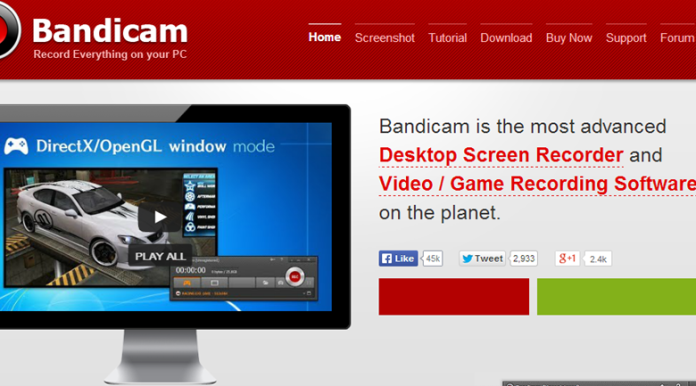
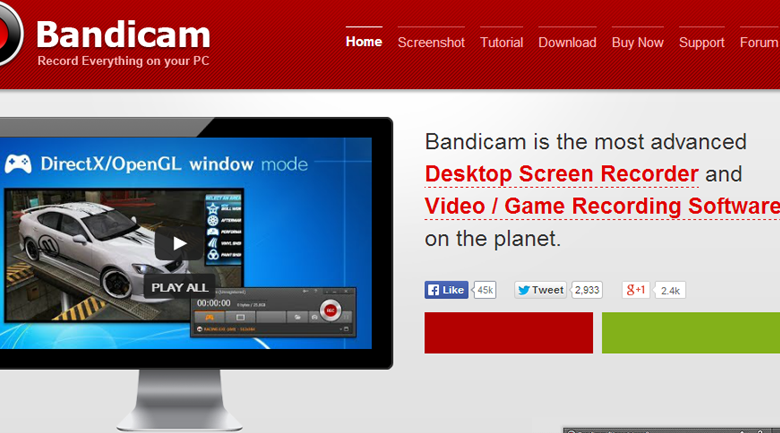
Bandicam is a Windows exclusive utility that can take screenshots, similar to the Microsoft snipping tool, capturing video and audio from application running on your computer. What makes Bandicam different is its ability to work well with computers that have limited hardware because it takes a lot of the strain off the CPU, and places it on graphics accelerators.

Also, Bandicam has the ability to compress video while recording, resulting in a smaller file size, and less time spent attempting to optimize a file. Also, Bandicam can record continuously for more than 24 hours, allowing you to capture as much information as possible.


While Bandicam works well just as it is, it also gives you the ability to make several tweaks to the codecs, to turn it into exactly what you need. You can tweak both audio and video codecs, as well as, some formatting; allowing you to personalize Bandicam to your own needs with minimal effort. Tech writer, Matthew Hughes gives a great overview of how you can tweak the settings to get the best performance.

But wait, there’s more

Recording screencasts is simple; click the game or application you want to share and press the “record” button. While there are several applications that can record screencasts, Bandicam makes it easy to capture individual screen selections as well. This is particularly useful if you need to share a small portion of an application for troubleshooting, or need to evaluate browser-based meetings at a later date.

Bandicam can also be used to share and integrate additional material in your meetings, emails, and promotional materials. Snag clips from competitors to show what you want to do, or want to avoid; grab educational materials for meetings; or break up a monotonous conference with a clip from Hulu. Whatever you use it for; Bandicam definitely makes create screencasts easier without slowing down your computer.

The American Genius Staff Writershttps://theamericangenius.com
The American Genius is news, insights, tools, and inspiration for business owners and professionals. AG condenses information on technology, business, social media, startups, economics and more, so you don’t have to.

2 COMMENTS

Subscribe
Notify of
wpDiscuz
2
0
What insights can you add? →x
()
x
Exit mobile version
