Thursday, December 25, 2025

Unlock AG Pro Today

Why Now?

AG Pro gives you sharp insights, compelling stories, and weekly mind fuel without the fluff. Think of it as your brain’s secret weapon – and our way to keep doing what we do best: cutting the BS and giving you INDEPENDENT real talk that moves the needle.

Limited time offer: $29/yr (regularly $149)
✔ Full access to all stories and 20 years of analysis
✔ Long-form exclusives and sharp strategy guides
✔ Weekly curated breakdowns sent to your inbox

We accept all major credit cards.

Pro

/ once per week

Get everything, no strings.

AG-curious? Get the full-access version, just on a week-to-week basis.
• Unlimited access, no lockouts
• Full Premium archive access
• Inbox delivery + curated digests
• Stop anytime, no hoops

$
7
$
0

Get your fill of no-BS brilliance.

Pro

/ once per year

All in, all year. Zero lockouts.

The best deal - full access, your way. No timeouts, no limits, no regrets.
A year for less than a month of Hulu+
• Unlimited access to every story
• Re-read anything, anytime
• Inbox drop + curated roundups

$
29
$
0

*Most Popular

Full access, no pressure. Just power.

Free
/ limited

Useful, just not unlimited.

You’ll still get the goods - just not the goodest, freshest goods. You’ll get:
• Weekly email recaps + curation
• 24-hour access to all new content
• No archive. No re-reads

Free

Upgrade later -
we’ll be here!

Unlock AG Pro Today

Why Now?

AG Pro gives you sharp insights, compelling stories, and weekly mind fuel without the fluff. Think of it as your brain’s secret weapon – and our way to keep doing what we do best: cutting the BS and giving you INDEPENDENT real talk that moves the needle.

Limited time offer: $29/yr (regularly $149)
✔ Full access to all stories and 20 years of analysis
✔ Long-form exclusives and sharp strategy guides
✔ Weekly curated breakdowns sent to your inbox

We accept all major credit cards.

Pro

/ once per week

Get everything, no strings.

AG-curious? Get the full-access version, just on a week-to-week basis.
• Unlimited access, no lockouts
• Full Premium archive access
• Inbox delivery + curated digests
• Stop anytime, no hoops

$
7
$
0

Get your fill of no-BS brilliance.

Pro

/ once per year

All in, all year. Zero lockouts.

The best deal - full access, your way. No timeouts, no limits, no regrets.
A year for less than a month of Hulu+
• Unlimited access to every story
• Re-read anything, anytime
• Inbox drop + curated roundups

$
29
$
0

*Most Popular

Full access, no pressure. Just power.

Free
/ limited

Useful, just not unlimited.

You’ll still get the goods - just not the goodest, freshest goods. You’ll get:
• Weekly email recaps + curation
• 24-hour access to all new content
• No archive. No re-reads

Free

Upgrade later -
we’ll be here!

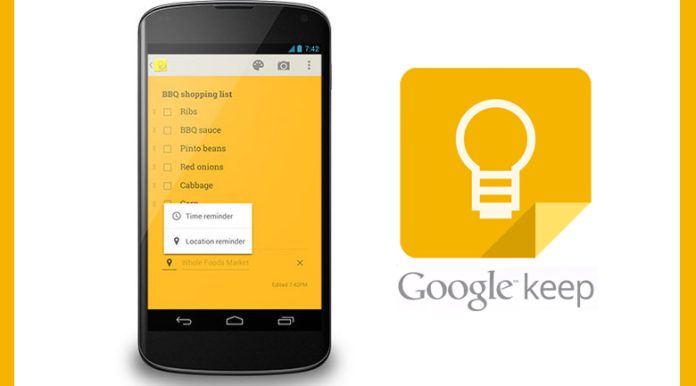
Google Keep adds reminders, becomes 100% more useful

Google Keep vs. Evernote

This spring, we analyzed whether or not the launch of Google Keep was really an Evernote killer, concluding that it wasn’t. Product updates rolled out this week, however, give Keep a chance at giving Evernote a run for its money.

The Google Keep app already let you quickly take and save notes, photos, voice memos, and checklists on your Google Drive and then access them again via any other web-connected device you are currently using. Keep also supports Google Apps, so you can use it with your business account.

So what’s the big update?

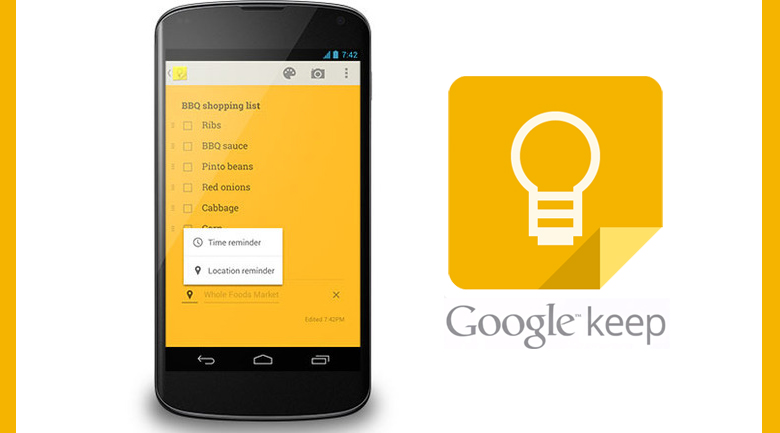
What is the biggest update to Keep? Reminders. You can now add time or location-based reminders to your notes, powered by Google Now. Reminders can be set for either a specific time, or a general time of day. The app will also suggest nearby locations when you being to enter the name of a place, which is helpful if you are typing on-the-go.

These reminders can also be placed on “snooze,” so when you do not have time to deal with an alert, you can come back to it later. Additionally, you can hide and show checkboxes to turn your notes into checkable lists. If you have been longing to color-code your notes, you now have that option as well.

In addition to the new reminder feature, Google has revamped the navigation and made it easier for users to access their notes via a new navigation drawer. This drawer not only shows all of a person’s upcoming reminders, but also, contains a switch to toggle between a user’s personal and work accounts (or multiple accounts of any kind).

Finally, the process of adding existing photos to a note has been simplified, allowing Android users to add photos from the Gallery by tapping on a camera icon and then choosing which one they want to use. You can also take a new picture by tapping the icon.

Not just for Android

Not an Andriod user? No worries. You can still take advantage of Keep through the Chrome browser update. This update makes it possible to communicate via voice and video, without the use of a plugin. It also includes a visual indicator when scrolling to the top or bottom of a page, a new color selector for web forms, and improvements to startup performance, stability, and responsiveness.

If you haven’t given Google Keep a chance yet (because it has been compared to Evernote, Penultimate, and the like), with these new features, it is definitely worth a look. If you used Keep in March when it launched and immediately forgot it existed, go back and see how reminders increase its usefulness.

Jennifer Walpole, Sr. Staff Writer
Jennifer Walpole is a Senior Staff Writer at The American Genius and holds a Master's degree in English from the University of Oklahoma. She is a science fiction fanatic and enjoys writing way more than she should. She dreams of being a screenwriter and seeing her work on the big screen in Hollywood one day.
Subscribe
Notify of
wpDiscuz
0
0
What insights can you add? →x
()
x
Exit mobile version
