Wednesday, February 11, 2026

Unlock AG Pro Today

Why Now?

AG Pro gives you sharp insights, compelling stories, and weekly mind fuel without the fluff. Think of it as your brain’s secret weapon – and our way to keep doing what we do best: cutting the BS and giving you INDEPENDENT real talk that moves the needle.

Limited time offer: $29/yr (regularly $149)
✔ Full access to all stories and 20 years of analysis
✔ Long-form exclusives and sharp strategy guides
✔ Weekly curated breakdowns sent to your inbox

We accept all major credit cards.

Pro

/ once per week

Get everything, no strings.

AG-curious? Get the full-access version, just on a week-to-week basis.
• Unlimited access, no lockouts
• Full Premium archive access
• Inbox delivery + curated digests
• Stop anytime, no hoops

$
7
$
0

Get your fill of no-BS brilliance.

Pro

/ once per year

All in, all year. Zero lockouts.

The best deal - full access, your way. No timeouts, no limits, no regrets.
A year for less than a month of Hulu+
• Unlimited access to every story
• Re-read anything, anytime
• Inbox drop + curated roundups

$
29
$
0

*Most Popular

Full access, no pressure. Just power.

Free
/ limited

Useful, just not unlimited.

You’ll still get the goods - just not the goodest, freshest goods. You’ll get:
• Weekly email recaps + curation
• 24-hour access to all new content
• No archive. No re-reads

Free

Upgrade later -
we’ll be here!

Unlock AG Pro Today

Why Now?

AG Pro gives you sharp insights, compelling stories, and weekly mind fuel without the fluff. Think of it as your brain’s secret weapon – and our way to keep doing what we do best: cutting the BS and giving you INDEPENDENT real talk that moves the needle.

Limited time offer: $29/yr (regularly $149)
✔ Full access to all stories and 20 years of analysis
✔ Long-form exclusives and sharp strategy guides
✔ Weekly curated breakdowns sent to your inbox

We accept all major credit cards.

Pro

/ once per week

Get everything, no strings.

AG-curious? Get the full-access version, just on a week-to-week basis.
• Unlimited access, no lockouts
• Full Premium archive access
• Inbox delivery + curated digests
• Stop anytime, no hoops

$
7
$
0

Get your fill of no-BS brilliance.

Pro

/ once per year

All in, all year. Zero lockouts.

The best deal - full access, your way. No timeouts, no limits, no regrets.
A year for less than a month of Hulu+
• Unlimited access to every story
• Re-read anything, anytime
• Inbox drop + curated roundups

$
29
$
0

*Most Popular

Full access, no pressure. Just power.

Free
/ limited

Useful, just not unlimited.

You’ll still get the goods - just not the goodest, freshest goods. You’ll get:
• Weekly email recaps + curation
• 24-hour access to all new content
• No archive. No re-reads

Free

Upgrade later -
we’ll be here!

MailButler makes Apple Mail suck less by bundling plugins

Making up for what Apple Mail lacks

If you are an iOS user, chances are you use Apple’s native mail program. How often you use it, likely depends on how comfortable you are with its lack of features. Don’t get me wrong, I love Apple Mail. I love that I can check all my mail in one place, but it could help me be more productive if they included more advanced features.


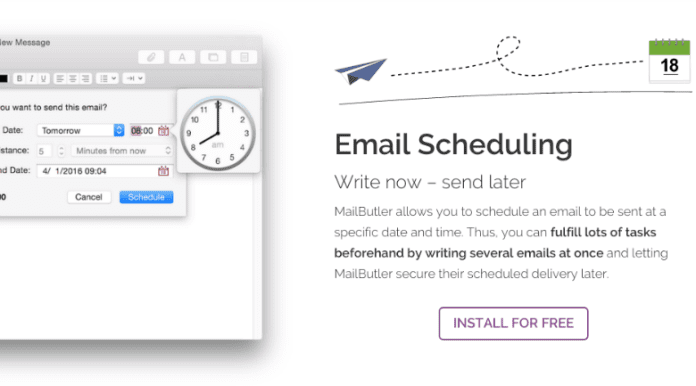
MailButler is a new app that helps Apple Mail function in a way that is productive and efficient. MailButler functions as your personal assistant for Apple Mail. It adds seven functions to your mail: signatures, cloud upload, undo send, email scheduling, emails to notes, attachment reminders and appearance. Two of my favorite features on this list are attachment reminders and cloud upload (with email to notes a close third).

Why do you need it?

If you often check your mail on the go, as many of us do, we tend to tap out our responses and forget that when you need to send an attachment, you have to actually attach the files.

MailButler prevents these “oops” moments from happening. Once you create a message, MailButler scans your text for specific keywords, like “attachment” and “file.” Then, reminds you that you have not attached anything before you send the document. Genius.

How does it work?

The cloud upload option appeals to me because as a writer I often receive large files that I need to read and review. When I’m mobile, however, it’s often more trouble than it’s worth to try and read them, as I’m often met with an error message because my file size is over the predetermined limit.

With the upload to cloud function, size limitations are eliminated. Every time your email’s attachments exceed a certain size, MailButler will automatically upload it to the cloud and add the corresponding links to your email instead; perfect for accessing it at a more convenient time.

The email to notes function is another favorite. MailButler allows you to easily convert emails in your Apple Mail into notes. This includes formatting, file attachments, tags, reminder dates, and other meta information. Notes will also contain a direct reference to the source email, so you can also find the emails correspondence within your favorite note taking tool. MailButler will work with Evernote, if that is your preffered note taking tool.

Worth a look to increase Apple Mail’s value

As someone who regularly uses their Apple Mail, I feel like MailButler is definitely worth a look. It adds functionality and productivity where Apple Mail falls short. What do you think? Will you try MailButler or are you already using a similar platform?

#mailbutler

Jennifer Walpole, Sr. Staff Writer
Jennifer Walpole is a Senior Staff Writer at The American Genius and holds a Master's degree in English from the University of Oklahoma. She is a science fiction fanatic and enjoys writing way more than she should. She dreams of being a screenwriter and seeing her work on the big screen in Hollywood one day.
Subscribe
Notify of
wpDiscuz
0
0
What insights can you add? →x
()
x
Exit mobile version
