Saturday, December 20, 2025

Unlock AG Pro Today

Why Now?

AG Pro gives you sharp insights, compelling stories, and weekly mind fuel without the fluff. Think of it as your brain’s secret weapon – and our way to keep doing what we do best: cutting the BS and giving you INDEPENDENT real talk that moves the needle.

Limited time offer: $29/yr (regularly $149)
✔ Full access to all stories and 20 years of analysis
✔ Long-form exclusives and sharp strategy guides
✔ Weekly curated breakdowns sent to your inbox

We accept all major credit cards.

Pro

/ once per week

Get everything, no strings.

AG-curious? Get the full-access version, just on a week-to-week basis.
• Unlimited access, no lockouts
• Full Premium archive access
• Inbox delivery + curated digests
• Stop anytime, no hoops

$
7
$
0

Get your fill of no-BS brilliance.

Pro

/ once per year

All in, all year. Zero lockouts.

The best deal - full access, your way. No timeouts, no limits, no regrets.
A year for less than a month of Hulu+
• Unlimited access to every story
• Re-read anything, anytime
• Inbox drop + curated roundups

$
29
$
0

*Most Popular

Full access, no pressure. Just power.

Free
/ limited

Useful, just not unlimited.

You’ll still get the goods - just not the goodest, freshest goods. You’ll get:
• Weekly email recaps + curation
• 24-hour access to all new content
• No archive. No re-reads

Free

Upgrade later -
we’ll be here!

Unlock AG Pro Today

Why Now?

AG Pro gives you sharp insights, compelling stories, and weekly mind fuel without the fluff. Think of it as your brain’s secret weapon – and our way to keep doing what we do best: cutting the BS and giving you INDEPENDENT real talk that moves the needle.

Limited time offer: $29/yr (regularly $149)
✔ Full access to all stories and 20 years of analysis
✔ Long-form exclusives and sharp strategy guides
✔ Weekly curated breakdowns sent to your inbox

We accept all major credit cards.

Pro

/ once per week

Get everything, no strings.

AG-curious? Get the full-access version, just on a week-to-week basis.
• Unlimited access, no lockouts
• Full Premium archive access
• Inbox delivery + curated digests
• Stop anytime, no hoops

$
7
$
0

Get your fill of no-BS brilliance.

Pro

/ once per year

All in, all year. Zero lockouts.

The best deal - full access, your way. No timeouts, no limits, no regrets.
A year for less than a month of Hulu+
• Unlimited access to every story
• Re-read anything, anytime
• Inbox drop + curated roundups

$
29
$
0

*Most Popular

Full access, no pressure. Just power.

Free
/ limited

Useful, just not unlimited.

You’ll still get the goods - just not the goodest, freshest goods. You’ll get:
• Weekly email recaps + curation
• 24-hour access to all new content
• No archive. No re-reads

Free

Upgrade later -
we’ll be here!

Skitch by Evernote updated: why you should take a second look

Skitch gets a fancy update

How many times have you been driving, looking for a location, only to find out the exact location you needed, did not have a precise address? This happens frequently and makes sharing directions with other difficult because not all mapping apps are created equal. Whether you are planning a party, organizing a camping trip, or showing real estate to clients, sometimes you need to be able to share a precise location to eliminate confusion. With the most recent update (3.0.4), Skitch by Evernote is just the app to help you out.

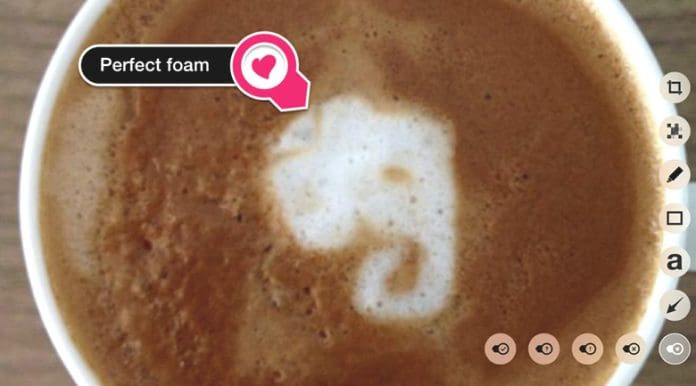
It allows you to quickly edit an image, or annotate a map, and send it to someone else so they can see exactly what or where you are referencing. To annotate a map, all you need to do is search for your location and use Skitch’s annotation tools to mark the map with your details. You will be able to point out where to park for the party, where the trail begins for your camping trip, or exactly where the vacant land is you need to show to your clients.

Not limited to maps, no

Skitch is not limited to mapping annotations, however. You can annotate any image you choose. For business professionals, this can be quite helpful for quickly making revisions to an ongoing project without the need to download and re-download the project file. You can simply annotate what you have changed and send to your teammates. For real estate professionals, you can take pictures of each room in the home you are listing, and annotate directly on the image so you remember details when you put it into the MLS, or other listing service.

Another feature with this release is the ability to share your Skitch images across other apps on your phone. Choosing the “open in” option lets you send your annotations directly to any installed apps that accept images. This allows you to share images with friends, make revisions with coworkers, or plan a party all over the Skitch app. And if you like to edit your images before you send them, Skitch added a new menu under “more tools” to help you make your images even better. You can now crop an image; allowing you to focus on only one part, or remove elements that are out of focus. And you can clear all annotations; this lets you start clean, removing all of your annotations at once.

Also, you can set up a default Evernote notebook where all your Skitch images can be sent and stored. There is also a new “Evernote” menu in under “settings” for all Evernote options.

While the map update applies primarily to iOS, the app is available for iOS, Mac, Android, or Windows.

Jennifer Walpole, Sr. Staff Writer
Jennifer Walpole is a Senior Staff Writer at The American Genius and holds a Master's degree in English from the University of Oklahoma. She is a science fiction fanatic and enjoys writing way more than she should. She dreams of being a screenwriter and seeing her work on the big screen in Hollywood one day.
Subscribe
Notify of
wpDiscuz
0
0
What insights can you add? →x
()
x
Exit mobile version
