Monday, February 2, 2026

Unlock AG Pro Today

Why Now?

AG Pro gives you sharp insights, compelling stories, and weekly mind fuel without the fluff. Think of it as your brain’s secret weapon – and our way to keep doing what we do best: cutting the BS and giving you INDEPENDENT real talk that moves the needle.

Limited time offer: $29/yr (regularly $149)
✔ Full access to all stories and 20 years of analysis
✔ Long-form exclusives and sharp strategy guides
✔ Weekly curated breakdowns sent to your inbox

We accept all major credit cards.

Pro

/ once per week

Get everything, no strings.

AG-curious? Get the full-access version, just on a week-to-week basis.
• Unlimited access, no lockouts
• Full Premium archive access
• Inbox delivery + curated digests
• Stop anytime, no hoops

$
7
$
0

Get your fill of no-BS brilliance.

Pro

/ once per year

All in, all year. Zero lockouts.

The best deal - full access, your way. No timeouts, no limits, no regrets.
A year for less than a month of Hulu+
• Unlimited access to every story
• Re-read anything, anytime
• Inbox drop + curated roundups

$
29
$
0

*Most Popular

Full access, no pressure. Just power.

Free
/ limited

Useful, just not unlimited.

You’ll still get the goods - just not the goodest, freshest goods. You’ll get:
• Weekly email recaps + curation
• 24-hour access to all new content
• No archive. No re-reads

Free

Upgrade later -
we’ll be here!

Unlock AG Pro Today

Why Now?

AG Pro gives you sharp insights, compelling stories, and weekly mind fuel without the fluff. Think of it as your brain’s secret weapon – and our way to keep doing what we do best: cutting the BS and giving you INDEPENDENT real talk that moves the needle.

Limited time offer: $29/yr (regularly $149)
✔ Full access to all stories and 20 years of analysis
✔ Long-form exclusives and sharp strategy guides
✔ Weekly curated breakdowns sent to your inbox

We accept all major credit cards.

Pro

/ once per week

Get everything, no strings.

AG-curious? Get the full-access version, just on a week-to-week basis.
• Unlimited access, no lockouts
• Full Premium archive access
• Inbox delivery + curated digests
• Stop anytime, no hoops

$
7
$
0

Get your fill of no-BS brilliance.

Pro

/ once per year

All in, all year. Zero lockouts.

The best deal - full access, your way. No timeouts, no limits, no regrets.
A year for less than a month of Hulu+
• Unlimited access to every story
• Re-read anything, anytime
• Inbox drop + curated roundups

$
29
$
0

*Most Popular

Full access, no pressure. Just power.

Free
/ limited

Useful, just not unlimited.

You’ll still get the goods - just not the goodest, freshest goods. You’ll get:
• Weekly email recaps + curation
• 24-hour access to all new content
• No archive. No re-reads

Free

Upgrade later -
we’ll be here!

Supercharge your inbox with Quickly, get to inbox zero asap

Quickly could make your inbox zero dream a reality

A seemingly endless stream of email is becoming the norm for most of us. Often times, items go unopened because we simply do not have time to address every item. “Inbox zero” seems like a pretty lofty goal, but that is no reason to give up completely on organizing your inbox. Many programs automatically sort, color code, or produce to-do lists based on your email, but a new platform is taking a new approach that has the potential to reduce the amount of time you spend cruising your inbox.

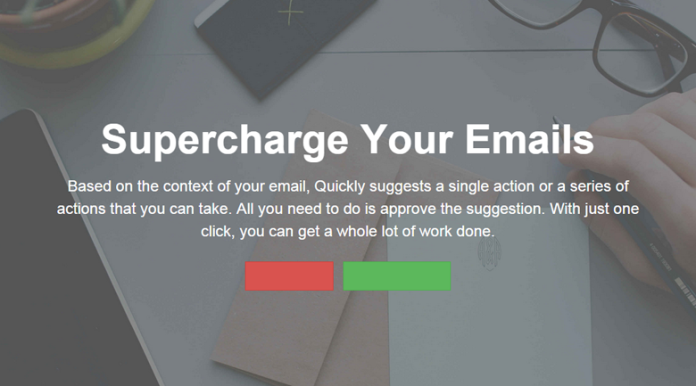
Quickly is a new platform aimed at supercharging your inbox. It takes a look through your email and makes suggestions based what it finds and will begin to learn more about how you use your email. After installing Quickly, it will ask you to approve or deny a suggestion. Every time you approve an action, Quickly performs it, but it also learns how you want to handle similar emails, allowing you to streamline future actions. For example, if you frequently receive emails with attachments, and Quickly finds that you typically save them to Dropbox; the next email you receive with an attachment Quickly will suggest you save it to Dropbox. If you approve this suggestion, you will be able to select any folder in Dropbox from a dropdown menu within your email. Once you have synced Quickly with all of the programs you frequently use, you will not have to leave your email to save anything.


Each suggestion will appear at the top of your email message. So, if you have an attachment, you will see a Quickly button with the Dropbox logo, waiting for your approval. Each suggestion is based on email content, receiver information, and your email’s structure. By connecting your programs, it allows you to immediately facilitate action based on your email content. It eliminate procrastination because you can do common tasks in one click, based on Quickly’s autosuggestions, rather than spend time saving attachments to appropriate folders, looking for a contact, or syncing things to Dropbox.

Getting s**t done from your email inbox

If a single email needs you to do several things, like store an invoice, add a row to a spreadsheet, and reply to the email stating it has been completing; all of these things can be done with a single click in Quickly. Once Quickly learns how you use your email, multiple suggestions will appear atop an email. For instance, you may see a Dropbox, Google Drive, and Facebook suggestion all on one email, based on what Quickly thinks you will need. The site does say it can take a little while for Quickly to learn what you like, but once it learns how you use your email to interact with people, this has the potential to save a tremendous amount of time.

Quickly is compatible with Asana, Gmail, MailChimp, Google Drive, Evernote, WordPress, Stripe, Salesforce, Zoho, LinkedIn, Facebook, Twitter, Calendar apps, as well as the available Chrome plugin for Gmail. There are many more programs expected to join the list when Quickly launches. As more programs join, this could be the go-to tool for email management, as you can take multiple action on the same email within the same screen.

Jennifer Walpole, Sr. Staff Writer
Jennifer Walpole is a Senior Staff Writer at The American Genius and holds a Master's degree in English from the University of Oklahoma. She is a science fiction fanatic and enjoys writing way more than she should. She dreams of being a screenwriter and seeing her work on the big screen in Hollywood one day.

1 COMMENT

Subscribe
Notify of
wpDiscuz
1
0
What insights can you add? →x
()
x
Exit mobile version
