



Think about it. Video has consumed America. Youtube claims that half of Americans view videos and share then virally with their friends. Youtube claims the number two search engine spot more and more.
So why real estate. According to NAR, 39% of all homes sold in 2008 were found on the Internet. Many consumers go online long before they contact us. Video allows you to create trust and can motive those prospects to contact you!
So how do you get started?
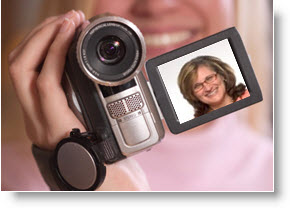
Don’t go crazy spending money. First think about using the video feature on your digital camera, or purchase the well known TheFlip video camera. If you want a little more camera consider the Sanyo Xacti HC1010. This is a high def camera that has great sound and a swivel screen so you can see what you are videoing.
Start simple. Here are 5 different types of videos you can start one.
- Testimonials, (new homeowners in front of their home, or at the signing table)
- Area (Show us why living in your area is the best!)
- Neighborhoods (as a “neighborhood expert”, show us your favorite dry cleaners, best hamburger, favorite playground)
- Events (pull out your video camera and hand it around, they’ll interview others around them for you)
How long should a video be? – The shorter the better. Videos under 2 or 3 minutes work best.
Should video be raw (as shot) or Edited and if so what to use to edit? Mike Mueller, my friend and a wonder with The Flip suggests:
Always edit if at all possible. Cut the beginning and the end to length, snip out anything in the middle and add your branding; Make sure you include contact info, titles and links to items referenced in the video.
Most Important: Use but minimize the transition effects and use a tripod whenever possible.
As for what program to use, it depends on if you have a Mac or PC. Mac has imovie which does wonderful stuff, for the PC user they can use Windows Movie Maker. Both are free and simple to use.
Other programs that I like and use (not free) are Camtasia Studio, and Sony Vegas Movie Studio. Each has its benefits.
Most every editing program has a Storyboard and Timeline view. You can alternate between the two. You’ll need to be in Storyboard to insert transitions, and you’ll need to be in Timeline to clip the length and add titles.
Ok, so we’ve created our video, now what do we do with it? Stay tuned . . .

![Reblog this post [with Zemanta]](https://img.zemanta.com/reblog_e.png?x-id=e731523f-b701-4dcc-95f5-01b9a8f99bb9)


