


How To Twitter
Lani wrote an excellent post about twitter, an easy to understand how to. If you are unfamiliar with Twitter, read her post first.
Also see Lani’s “Twitter Tools” post with some specifics on how to use Twitter.
After people sign up and start using twitter, they start to ask what it is good for, I know I did. Twitter is a great way to network with others in the real estate industry and to learn from them but there is so much more to twitter. This post just scratches the surface, and is about some of my favorite ways of using twitter.
But Have You Tried…
Have you ever tried getting local? Check out Twitter local. Put in your location and find people in your area who use twitter. You can set it up to find tweets coming from a mile away, up to 20 miles away. The tweets are interesting, and it is a great way to meet people in your own town. I installed the twitter local adobe air application found on the twitter local site and now have it on my desk top. Now I get local news as it happens.
Speaking of adobe air, The Twirl application is a great way to use twitter. It is much easier to use than the twitter web site. I can click on a face when I want to reply to a tweet and don’t have to type in the “@” of the “d”. I highly recommend it. All the twitter functions work with the click of a button and the ability to generate a tiny URL is built in. There are other applications and web sites but I like Twirl better than any of the others that I have tried.
But There’s More…
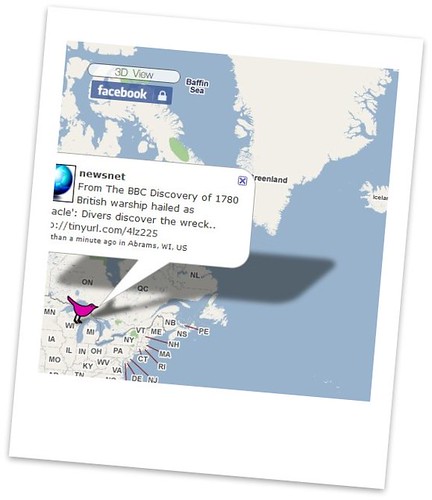
Have you ever seen Twitter Vision? I watched the primaries on it last November. There is a map of the world and tweets pop up on the map. I saw the tweets as the polls closed and read peoples thoughts on the election and who they voted for. I learned early on that voter turn out was high as people discussed how long the lines were. A real time picture of what people are talking about. Honestly I can watch it for hours. Also see Flickr vision, a related product that shows flickr photos from all over the world as they are uploaded.
Twitter is text messaging and a mobile phone will send and recieve the tweets via SMS. For most, it is not an attractive option for keeping up with a few hundred friends and so we use programs for our phones or PDA’s to make it easier.
I am an old fashioned kind of gal and still use a blackberry. I love the thing and will give it up one day when it is pried from my cold dead hands. I wore out the first one, and so I bought the pearl about 18 months ago. I may upgrade next year to the curve, but I digress. If you use a blackberry try TwitterBerry. It was a lousy application when it first came out but I have to say the latest version really wows me. It is now so much easier for me to track the people I follow when I am away from my office, which is much of the time. Check Google for applications for phones and PDA’s, and let us all know if you find one that wows you.
One of My Favorites
One of my favorite sites is Summize. I can pick a topic, tag, hash tag, keyword or phrase and read what people are saying about it. I great way to learn more on a variety of topics.
I have also been using BrightKite, it is a kind of network with in a network. I am able to find other twitter users in my vacinity. I update my location and it shows up on twitter, when I upload a photo to bright kite it also goes out onto twitter. It has a bit more going on that twitpic which also allows me to upload photos from my phone and they they show up as “tweets” with links on twitter. TwitPic has a map just like twitter vision but it only shows photos.
And Many More
There are many more twitter related applications. The tools I mention are the ones that I use. Today I am looking for commentary on a local issue so I am using both twitter local and summize to get information. I am reading tweets, following links, and commenting on blog posts.
For those who have a little time this weekend, explore some of the sites I have mentioned and search for more twitter related products and services.
What are some of your favorite ways to use twitter?

