


Goal: kill all bad presentations
We’ve all been on the viewing end of a ho-hum presentation at one point in time. For the longest time, the accepted practice was to throw a few text-filled slides on a projection screen, sprinkle in a few transitions and pictures and – for those who didn’t have enough time to prepare – proceed to read every word on the screen to the audience.
Fortunately, HaikuDeck, an app currently available on iPad, banishes vanilla slide presentations in favor of a more engaging experience. Not only will you have a more compelling presentation vehicle, your audience will actually pay attention to what you have to say.
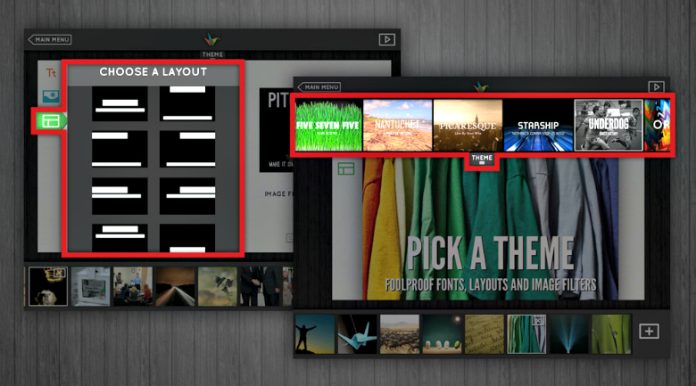
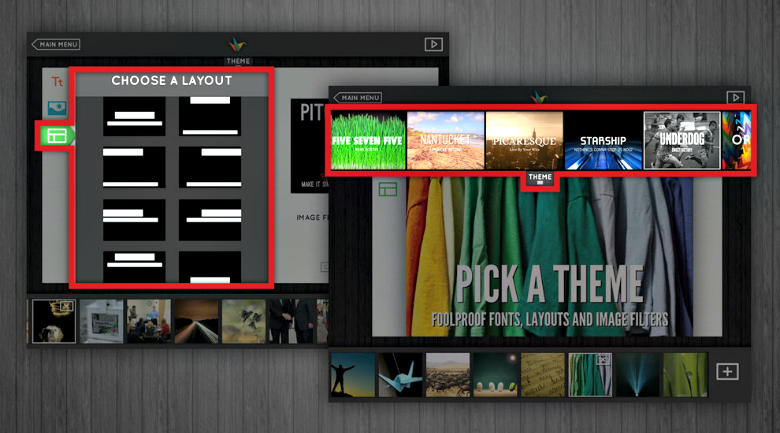
The differentiator between HaikuDeck and other apps is its ability to simplify the process of creating a presentation. Users don’t have to worry about choosing specific font sizes and color schemes because the HaikuDeck app allows only 2 lines of text per slide, one standard font (unless you choose a blanket theme with its own respective fonts and slide designs) and each slide must be accompanied by an image to serve as the background for the slide.
Bring in the Creative Commons
If users aren’t sure of what picture they’d like to select, the app automatically scans keywords in the slide’s text and generates and allows user to choose pictures from Creative Commons, a non-profit that provides images and other creative works for users to share and build upon via the licenses it distributes. Once a picture is selected, it becomes a full-bleed image spanning the entire slide. With limited lines of text, presenters are able to focus on telling a story centered on a key message rather than reading text word-for-word from a screen.
HaikuDeck is a great option for businesses to use at conferences and client meetings, when presenters need to break the ice, get the conversation flowing and begin to develop a rapport with the audience. Viewers rarely respond to being talked to, especially if they have nothing to look at but a wall of black and white.
Boiling it down to the essentials
By boiling the presentation down to the essentials – a great presenter with a concise message accompanied by compelling images – they can better engage with their clients and colleagues and really tell a story. Businesses can even take it a step further and project a single HaikuDeck slide with a great image and tagline to spark spontaneous conversation amongst attendees at a networking event.
Don’t give another boring presentation
The app does have some drawbacks – it’s currently only available on iPad and presenters don’t have the ability to include notes in a text box beneath their slides – but they have been noted and HaikuDeck developers say these capabilities will be available in the future. So if the thought of giving another blasé presentation bores you to tears, consider a livelier, alternative option.
It will be much better received and hold your audience’s attention much longer than if you start off with “*clicks to intro slide* Hi, let’s talk about my first bullet point on…”

