


Go deeper - join us!
Microsoft’s web browser, Edge Chromium is receiving positive reviews over a special feature which blocks potentially troublesome downloads. While Edge Chromium has a similar feeling as Google Chrome, this new setting offers better protection than the latter. Eric Lawrence, a program manager at Microsoft has elaborated by explaining that besides blocking malware, Edge Chromium’s setting works similarly to a crypto miner to block suspicious downloads.
Microsoft, and users, have had plenty of issues with it’s last browser Edge; Slow load times, it won’t stay connected to the internet, some pages need another browser, it uses waaaaaay too much memory (3GB!), loses passwords, the voice/search assistant doesn’t work right, and many other problems have plagued the browsers use for years. Many of the fixes boil down to delete everything, restart your computer, or use a different browser, and that’s worrisome. This new browser seems to only cause users to disagree on the User interface layouts, as compared to chrome, no mentions of actual problems yet so that’s a big plus. Currently, Edge Chromium and a stable version of Microsoft Edge can be downloaded from the company site.
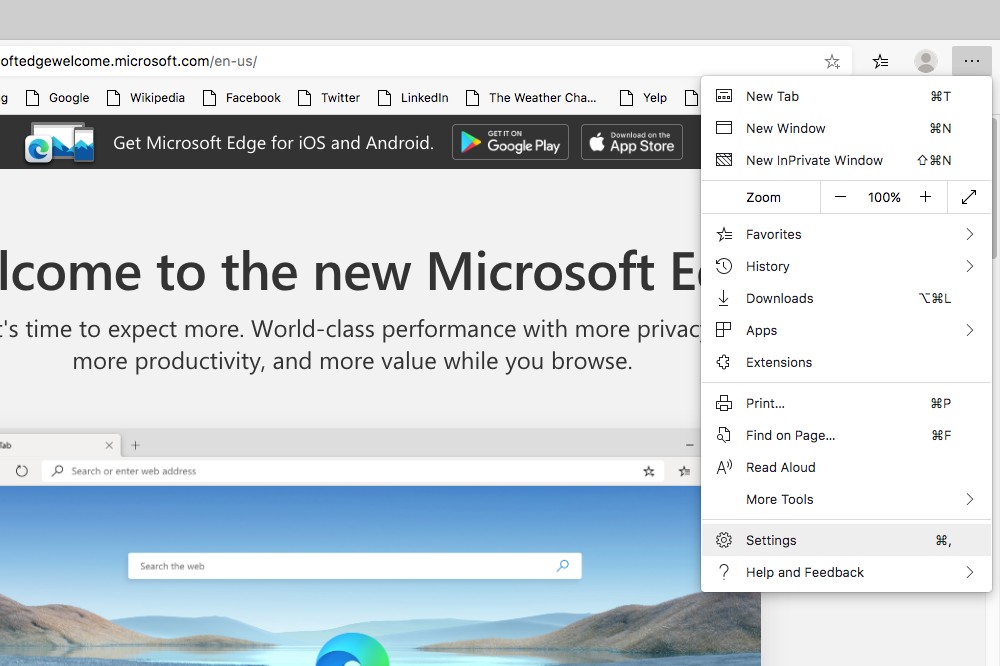
In order to activate this new extensive feature in the browser, Edge’s settings can be opened from the triple-dot icon in the upper-right corner.
Next, select “Privacy and services” and then “Services” in the next window which will give you the option called “Block potentially unwanted apps”.
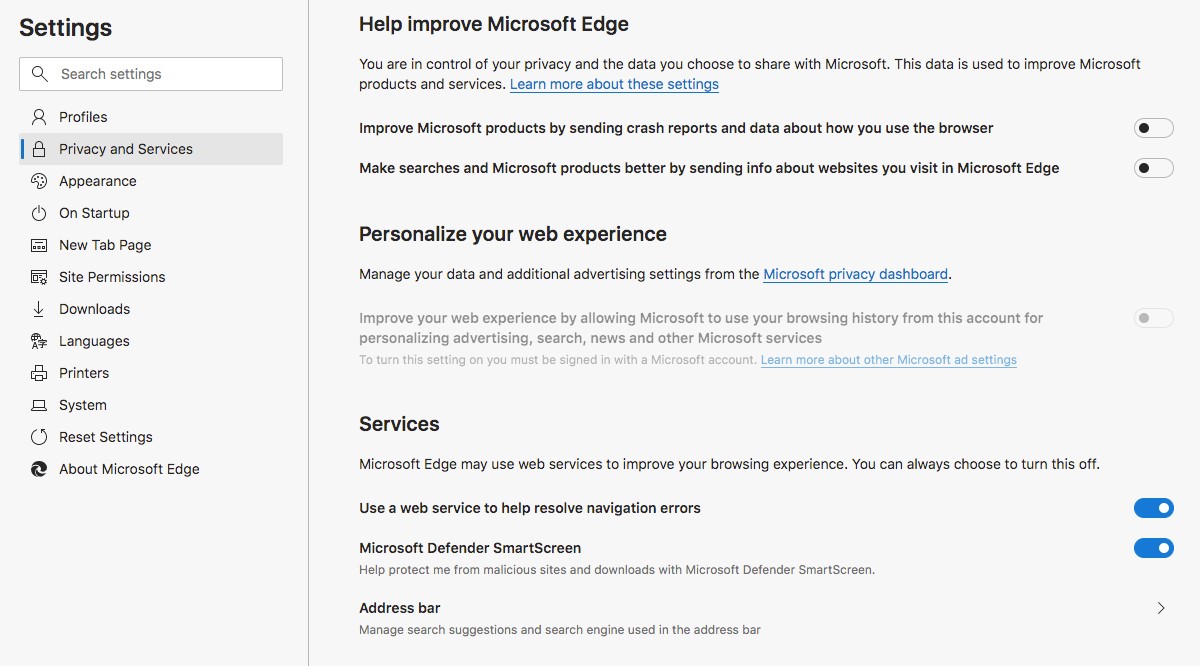
The default setting is off so users will have to change the settings to activate the feature.
While it’s unlikely Edge Chromium will block everything, having that extra protection could save some woe down the road from a nefarious crapware download. A couple minutes to enable this new browsing feature might just be worth it.

