


Stand out in the crowd
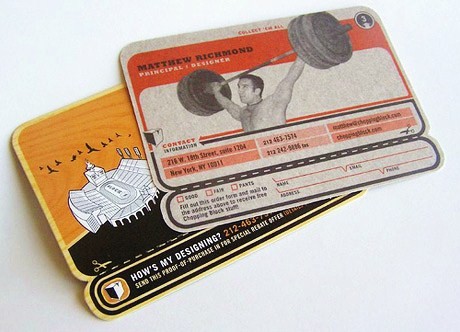 In a world of high volume, high velocity social networking, it’s no longer good enough to just be present, you have to find ways to stand out so you don’t look like every other real estate agent who is following people on Twitter, Facebook, etc. So we found a quick way that you can aggregate all of your social networks that doesn’t take technical knowledge!
Getting set up
There are many options for creating an online business card that shows all of your social networking and blogging profiles, but our two favorite are card.ly and magntize because they are easy to use and have the most modern themes on the market.
Here are some screen shots of the final result of both online business cards (click the image to see a live demo):
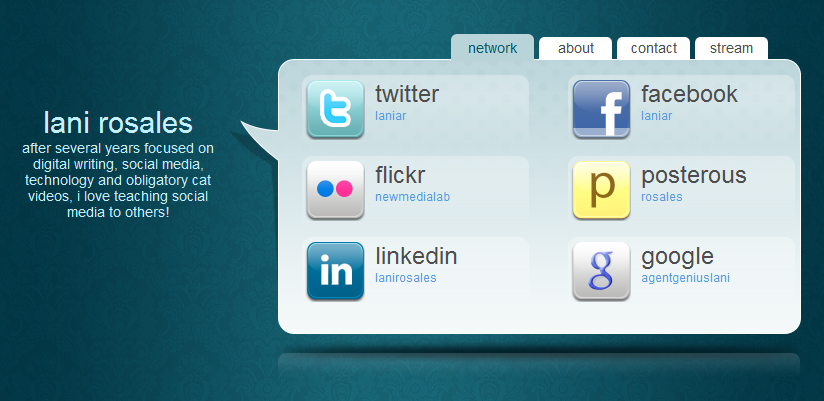
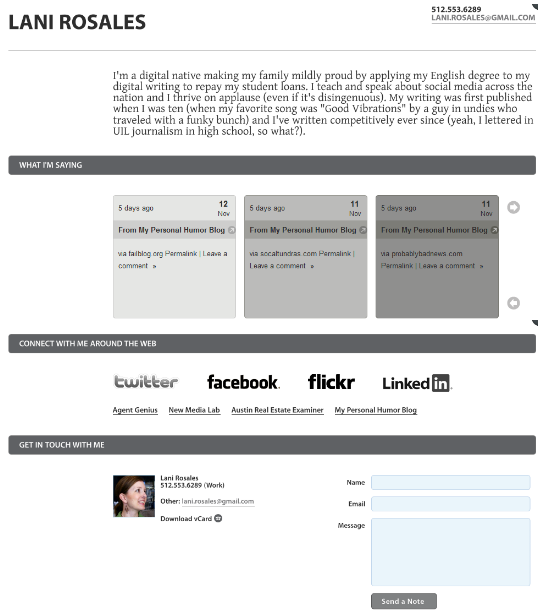
To get started, all you need is a list of your usernames and URLs for your social networks. There are many themes available (themes are like templates or skins) and I chose the ones above because they were clean and streamlined. As a side note, the black and white design has more colorful options, and is the only of the options that offers a capture mechanism, making it act almost as a website and makes it possible for people not using social networks to reach out.
Bonus tips:
Almost all social networks have a spot in your biographical information for you to share your website and the international standard is to share your blog URL. But imagine someone visiting your new online business card instead and seeing not only your main blog but your other social networks and any other blogs you create, giving people the option to reach you in whatever way they are most comfortable. That is awesome!
Another tip is instead of typing https://lani.magntize.com into your social network’s bio position, go to a URL shortener (like bit.ly or dwarfURL) and create a shortened URL not for the convenience of being short but for the ability to track clicks to your online business card, so https://lani.magntize.com has just become https://bit.ly/47MhiY and now I can tell when someone is clicking on it from Twitter or Facebook or otherwise. Don’t just blindly use social media, measuring ROI is possible!
The last tip for online business cards is to use the url on your own business card. Instead of typing in each address you are using and having 20 lines on your card, send people to one place and let them choose their final destination. The era of being able to point people to your blog is not over, but in such a noisy world, it’s nice to be organized about it.
When you set up YOUR online business card, share the link with us in the comments so we can all see what you came up with!

