


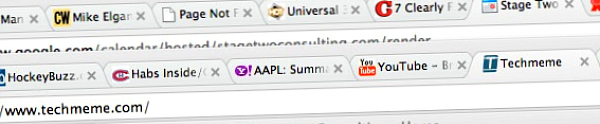
 Sharing is a beautiful thing. We share hyperlinks to relevant websites, appreciated information, and fun stuff. We share these links in our eMails, Facebook Status Updates, Twitter, Blogs, etc.
 Sometimes we want to share multiple hyperlinks. I want to share a free, simple to use, tool that’s perfect for sharing multiple hyperlinks (websites).
It’s called ShareTabs
Like the name sez, it allows you to share multiple hyperlinks as tabs using one link. Huh? Read on…
For example, in an eMail, a Tweet, a Facebook Status Update, or whatever, I included a link like this or this: https://sharetabs.com/?kenshares , when my friend clicked on the one link, this would happen:

See those three grey boxes, for some reason, not all websites will render, but the links work fine. Don’t sweat that, this a cool tool. It’s a better viewing experience for your friends. And, it’s handy for sharing via Twitter, or places where you have to be brief.
I might use it like this:
One link sharing your Social Media websites.
One link sharing multiple community or school information.
One link sharing your recommended service provider information.
One link sharing multiple online property promotion sites for you hot new listing.
One link sharing recommended dining, shopping and fun stuff.
How would you use it?
I bet you’d dream up sweet things or categories to use this for. If you’re in a sharing mood….
Cheers, and thanks for reading.
PS. I learn about new and interesting things, by following, reading, and watching interesting people. For example, I learned about ShareTabs by following a link that Todd Carpenter had embedded in one of his Tweets.

