


Mystery function on Facebook
 I use it from time to time and find myself using it increasingly more, but I’ve discovered that many people don’t know that you can tag people and pages that you are friends/fans in status updates. Ever wonder how people’s updates have other people’s names in them that link out to their profile but struggle to find a setting for creating a link? Ever try using html to link to another user only to end up with a garbled mess of a status update?
Facebook took a play from Twitter’s book and speaks the Twitter “@” language, so all you have to do is start typing your status update, and when you want to link to another user’s name so that it appears on your profile AND theirs, type “@” and the first few letters of their name, then highlight which user you want named and it creates a link of their name like so:
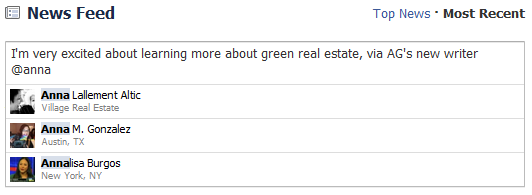
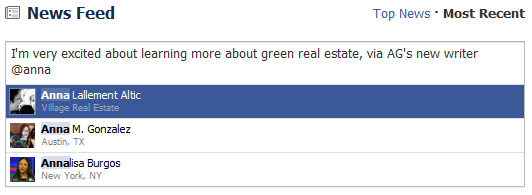

It’s not just other users that you can tag…
…it’s also Facebook fan pages, for example Agent Genius (click either image to get to the AG Facebook Fan Page):
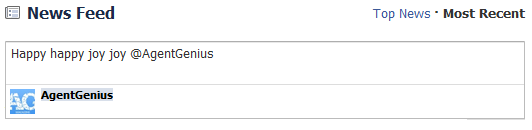

Why would you want to tag stuff?
Like tagging images, tagging people in your status updates means that your update shows up on the tagged person’s wall as well and their friends can see it. If someone in your office wins an award and you want to congratulate them AND tell your friends about it, tag them in a status update! If you’re FB friends with a client and you have the right rapport to do so, create a status update talking about how much fun you’re having with them (and tag them in it).
Call it drip marketing, touch marketing, social networking or whatever, but it’s a simple way to be top of mind with your Facebook network. What reasons can you think of that tagging someone (or a page) in a Facebook status would be helpful? Let us know your ideas in the comments below!

