


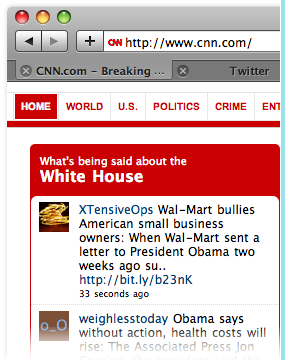
 Why should you care that Twitter has widgets that allow you to display your updates on your own website? Because cross-pollination of your social media efforts is a top priority. Why stand on three street corners when you can do the same thing on one? Why wouldn’t you want to gain more contacts from your blog by letting them know what you’re up to on Twitter?
This column was originally published here on AgentGenius.com on July 24, 2009.
This isn’t just another widget. Most widgets are static meaning they don’t move and they don’t update unless you update the page. This particular widget developed by Twitter.com first hand scrolls updates live on your sidebar and is fully customizable (text, colors, and size).
You have two widgets to choose from so far and you can use both. Use the “profile widget” to show website visitors your twitter updates and use the “search widget” to display all tweets from all users about whatever search term you deem worthy- your brand, your name, your city, etc.
Search Widget
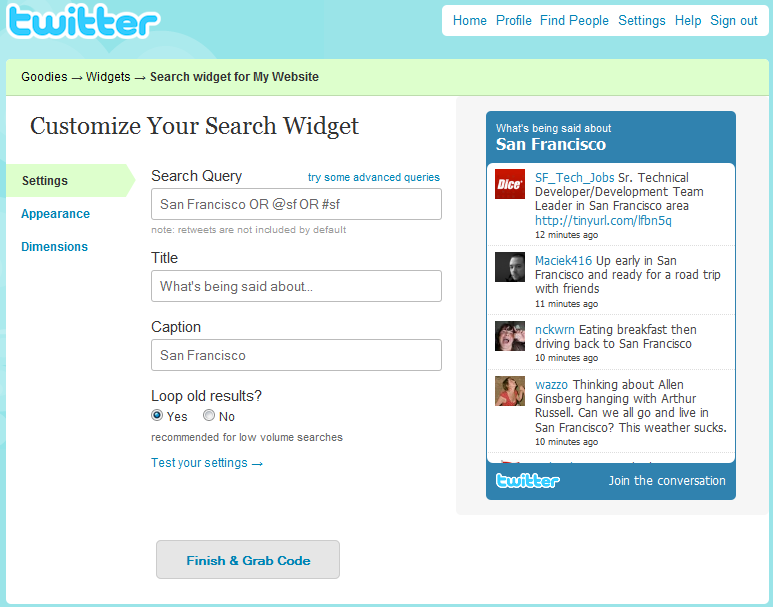
So above, you can tell your widget what to search for as well as alter how you present it (you don’t HAVE to use the existing title text). Below, you can see how to adjust colors of the widget.

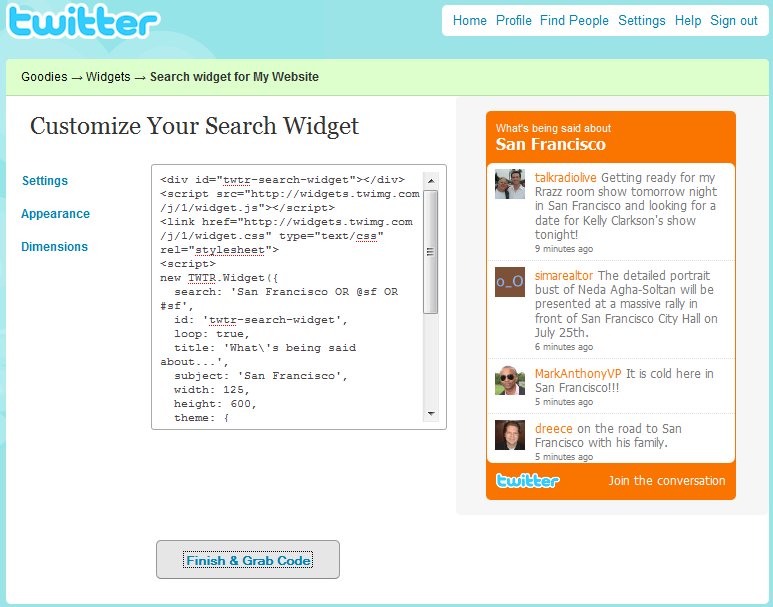
Below is a screenshot of how easy it is to get the embed code for the sidebar of your website and voila, a simply copy and paste job and you’re up and running.
Profile Widget
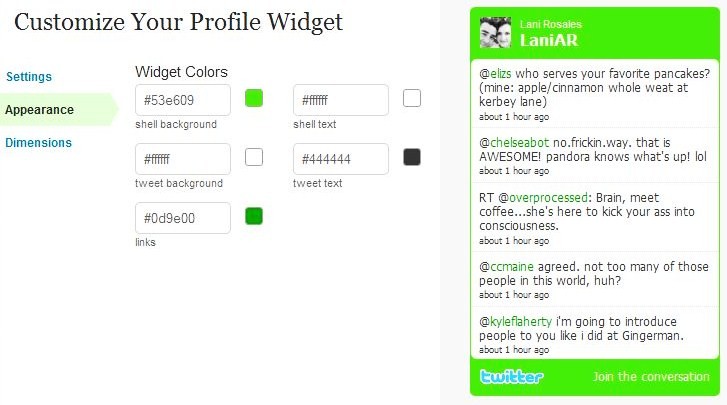
The setup is the same as the search widget but displays results of everything you’ve said. The only downside is that profile widgets are not compatible with private twitter accounts. Here’s what it looks like (remember, you can change the size and all colors):
Ideas for Search Widget
There are infinite options for the search widget and you’re allowed to search for multiple terms, like your name, your brokerage, your city or an event/conference you’re attending. What search term do YOU think real estate agents should use for a sidebar widget for live twitter searching?

